Newer
Older

1
2
3
4
5
6
7
8
9
10
11
12
13
14
15
16
17
18
19
20
21
22
23
24
25
26
27
28
29
30
31
32
33
34
35
36
37
38
39
40
41
42
43
44
45
46
47
48
49
50
51
52
53
54
55
56
57
58
59
60
61
62
63
64
65
66
67
68
69
70
71
72
73
74
75
76
77
78
79
80
81
82
83
84
85
86
87
88
89
90
91
92
93
94
95
96
97
98
99
100
101
102
103
104
105
106
107
108
109
110
111
112
113
114
115
116
117
118
119
120
121
122
123
124
125
126
127
128
129
130
131
132
133
134
135
136
137
138
139
140
141
142
143
144
145
146
147
148
149
150
151
152
153
154
155
156
157
158
159
160
161
162
163
164
165
166
167
168
169
170
171
172
173
174
175
176
177
178
179
180
181
182
183
184
185
186
187
188
189
190
191
192
193
194
195
196
197
198
199
200
Hackathon Starter
=======================
[](https://david-dm.org/sahat/hackathon-starter) [](https://travis-ci.org/sahat/hackathon-starter) [](https://gitter.im/sahat/hackathon-starter?utm_source=badge&utm_medium=badge&utm_campaign=pr-badge&utm_content=badge)
**Live Demo**: https://hackathon-starter-2018.herokuapp.com
Jump to [What's new?](https://github.com/sahat/hackathon-starter/blob/master/CHANGELOG.md)
A boilerplate for **Node.js** web applications.
If you have attended any hackathons in the past, then you know how much time it takes to
get a project started: decide on what to build, pick a programming language, pick a web framework,
pick a CSS framework. A while later, you might have an initial project up on GitHub and only then
can other team members start contributing. Or how about doing something as simple as *Sign in with Facebook*
authentication? You can spend hours on it if you are not familiar with how OAuth 2.0 works.
When I started this project, my primary focus was on **simplicity** and **ease of use**.
I also tried to make it as **generic** and **reusable** as possible to cover most use cases of hackathon web apps,
without being too specific. In the worst case you can use this as a learning guide for your projects,
if for example you are only interested in **Sign in with Google** authentication and nothing else.
### Testimonials
> [**“Nice! That README alone is already gold!”**](https://www.producthunt.com/tech/hackathon-starter#comment-224732)<br>
> — Adrian Le Bas
> [**“Awesome. Simply awesome.”**](https://www.producthunt.com/tech/hackathon-starter#comment-224966)<br>
> — Steven Rueter
> [**“I'm using it for a year now and many projects, it's an awesome boilerplate and the project is well maintained!”**](https://www.producthunt.com/tech/hackathon-starter#comment-228610)<br>
> — Kevin Granger
> **“Small world with Sahat's project. We were using his hackathon starter for our hackathon this past weekend and got some prizes. Really handy repo!”**<br>
> — Interview candidate for one of the companies I used to work with.
<h4 align="center">Modern Theme</h4>

<h4 align="center">Flatly Bootstrap Theme</h4>

<h4 align="center">API Examples</h4>
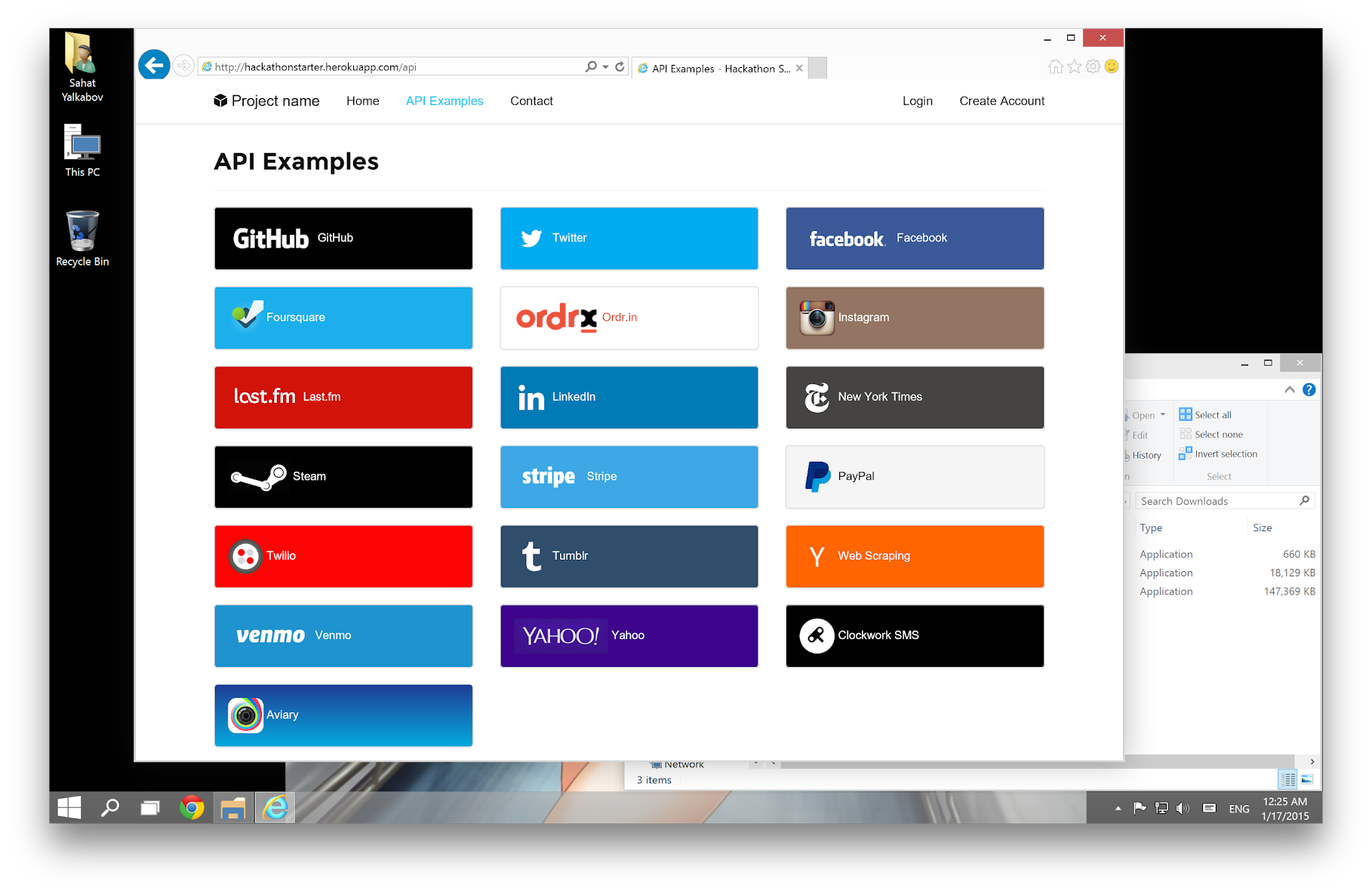
Table of Contents
-----------------
- [Features](#features)
- [Prerequisites](#prerequisites)
- [Getting Started](#getting-started)
- [Obtaining API Keys](#obtaining-api-keys)
- [Project Structure](#project-structure)
- [List of Packages](#list-of-packages)
- [Useful Tools and Resources](#useful-tools-and-resources)
- [Recommended Design Resources](#recommended-design-resources)
- [Recommended Node.js Libraries](#recommended-nodejs-libraries)
- [Recommended Client-side Libraries](#recommended-client-side-libraries)
- [Pro Tips](#pro-tips)
- [FAQ](#faq)
- [How It Works](#how-it-works-mini-guides)
- [Cheatsheets](#cheatsheets)
- [ES6](#-es6-cheatsheet)
- [JavaScript Date](#-javascript-date-cheatsheet)
- [Mongoose Cheatsheet](#mongoose-cheatsheet)
- [Deployment](#deployment)
- [Docker](#docker)
- [Changelog](#changelog)
- [Contributing](#contributing)
- [License](#license)
Features
--------
- **Local Authentication** using Email and Password
- **OAuth 1.0a Authentication** via Twitter
- **OAuth 2.0 Authentication** via Facebook, Google, GitHub, LinkedIn, Instagram
- Flash notifications
- MVC Project Structure
- Node.js clusters support
- Sass stylesheets (auto-compiled via middleware)
- Bootstrap 3 + Extra Themes
- Contact Form (powered by Mailgun, Sendgrid or Mandrill)
- **Account Management**
- Gravatar
- Profile Details
- Change Password
- Forgot Password
- Reset Password
- Link multiple OAuth strategies to one account
- Delete Account
- CSRF protection
- **API Examples**: Facebook, Foursquare, Last.fm, Tumblr, Twitter, Stripe, LinkedIn and more.
Prerequisites
-------------
- [MongoDB](https://www.mongodb.org/downloads)
- [Node.js 8.0+](http://nodejs.org)
- Command Line Tools
- <img src="http://deluge-torrent.org/images/apple-logo.gif" height="17"> **Mac OS X:** [Xcode](https://itunes.apple.com/us/app/xcode/id497799835?mt=12) (or **OS X 10.9+**: `xcode-select --install`)
- <img src="http://dc942d419843af05523b-ff74ae13537a01be6cfec5927837dcfe.r14.cf1.rackcdn.com/wp-content/uploads/windows-8-50x50.jpg" height="17"> **Windows:** [Visual Studio](https://www.visualstudio.com/products/visual-studio-community-vs) OR [Visaul Studio Code](https://code.visualstudio.com) + [Windows Subsystem for Linux - Ubuntu](https://docs.microsoft.com/en-us/windows/wsl/install-win10)
- <img src="https://lh5.googleusercontent.com/-2YS1ceHWyys/AAAAAAAAAAI/AAAAAAAAAAc/0LCb_tsTvmU/s46-c-k/photo.jpg" height="17"> **Ubuntu** / <img src="https://upload.wikimedia.org/wikipedia/commons/3/3f/Logo_Linux_Mint.png" height="17"> **Linux Mint:** `sudo apt-get install build-essential`
- <img src="http://i1-news.softpedia-static.com/images/extra/LINUX/small/slw218news1.png" height="17"> **Fedora**: `sudo dnf groupinstall "Development Tools"`
- <img src="https://en.opensuse.org/images/b/be/Logo-geeko_head.png" height="17"> **OpenSUSE:** `sudo zypper install --type pattern devel_basis`
**Note:** If you are new to Node or Express, I recommend to watch
[Node.js and Express 101](https://www.youtube.com/watch?v=BN0JlMZCtNU)
screencast by Alex Ford that teaches Node and Express from scratch. Alternatively,
here is another great tutorial for complete beginners - [Getting Started With Node.js, Express, MongoDB](http://cwbuecheler.com/web/tutorials/2013/node-express-mongo/).
Getting Started
---------------
The easiest way to get started is to clone the repository:
```bash
# Get the latest snapshot
git clone https://github.com/sahat/hackathon-starter.git myproject
# Change directory
cd myproject
# Install NPM dependencies
npm install
# Then simply start your app
node app.js
```
**Warning:** If you want to use some api that need https to work (for example pinterest or facebook),
you will need to download [ngrok](https://ngrok.com/).
You must start ngrok after starting the project.
```bash
# start ngrok to intercept the data exchanged on port 8080
./ngrok http 8080
```
Next, you must use the https url defined by ngrok, for example `https://hackaton.ngrok.io`
**Note:** I highly recommend installing [Nodemon](https://github.com/remy/nodemon).
It watches for any changes in your node.js app and automatically restarts the
server. Once installed, instead of `node app.js` use `nodemon app.js`. It will
save you a lot of time in the long run, because you won't need to manually
restart the server each time you make a small change in code. To install, run
`sudo npm install -g nodemon`.
Obtaining API Keys
------------------
To use any of the included APIs or OAuth authentication methods, you will need
to obtain appropriate credentials: Client ID, Client Secret, API Key, or
Username & Password. You will need to go through each provider to generate new
credentials.
**Hackathon Starter 2.0 Update:** I have included dummy keys and passwords for
all API examples to get you up and running even faster. But don't forget to update
them with *your credentials* when you are ready to deploy an app.
<img src="https://upload.wikimedia.org/wikipedia/commons/thumb/2/2f/Google_2015_logo.svg/1000px-Google_2015_logo.svg.png" width="200">
- Visit <a href="https://cloud.google.com/console/project" target="_blank">Google Cloud Console</a>
- Click on the **Create Project** button
- Enter *Project Name*, then click on **Create** button
- Then click on *APIs & auth* in the sidebar and select *API* tab
- Click on **Google+ API** under *Social APIs*, then click **Enable API**
- Next, under *APIs & auth* in the sidebar click on *Credentials* tab
- Click on **Create new Client ID** button
- Select *Web Application* and click on **Configure Consent Screen**
- Fill out the required fields then click on **Save**
- In the *Create Client ID* modal dialog:
- **Application Type**: Web Application
- **Authorized Javascript origins**: http://localhost:8080
- **Authorized redirect URI**: http://localhost:8080/auth/google/callback
- Click on **Create Client ID** button
- Copy and paste *Client ID* and *Client secret* keys into `.env`
**Note:** When you ready to deploy to production don't forget to
add your new url to *Authorized Javascript origins* and *Authorized redirect URI*,
e.g. `http://my-awesome-app.herokuapp.com` and
`http://my-awesome-app.herokuapp.com/auth/google/callback` respectively.
The same goes for other providers.
<hr>
<img src="http://www.doit.ba/img/facebook.jpg" width="200">
- Visit <a href="https://developers.facebook.com/" target="_blank">Facebook Developers</a>
- Click **My Apps**, then select **Add a New App* from the dropdown menu
- Enter a new name for your app
- Click on the **Create App ID** button
- Find the Facebook Login Product and click on **Facebook Login**
- Instead of going through their Quickstart, click on **Settings** for your app in the top left corner
- Copy and paste *App ID* and *App Secret* keys into `.env`
- **Note:** *App ID* is **FACEBOOK_ID**, *App Secret* is **FACEBOOK_SECRET** in `.env`
Loading full blame...